Smart Paper package

Offline to Online –
SMART PAPER

Embed invisible Smart Code with one print, unlock online content, AI analysis, and tamper detection with one scan.

What is Smart Paper?

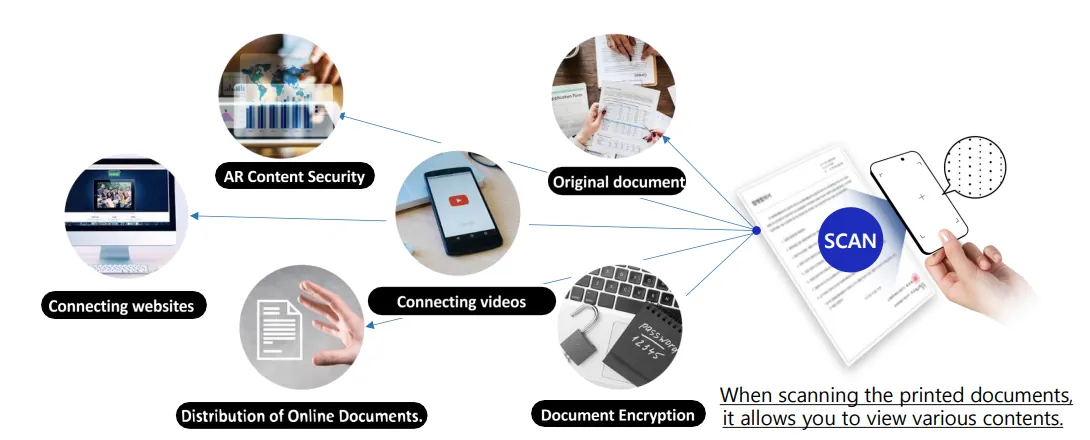
How Smart Paper links printed paper to online content
  • Printer Agent automatically embeds invisible dots (Smart Code) when printing
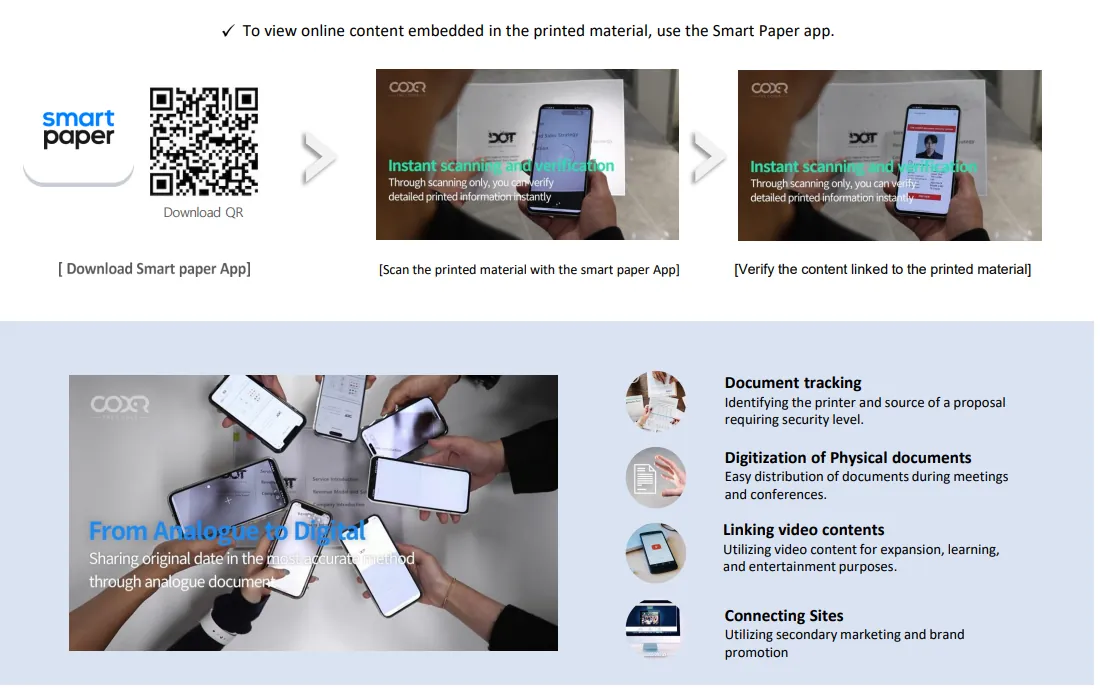
  • Mobile app scans code → links to web, video, AR, or original documents
  • Applicable to all paper-based media including documents, tests, catalogs

4 Key Features

1. Document Tracking

Smart Code maps printer, time, and user info → trace leakage path

2. Tamper Detection

Scan compares with server original → highlights tampered areas

3. AI Document Analysis

Extracts risky clauses, financial structure, summaries (Smart Paper 2.0)

4. Multi-Content Links

Different video, web, AR linked per document zone → ideal for tests and books

How to Use

  1. Buy Paper – Purchase Smart Paper online
  2. Register Product – Scan box QR to auto-charge print rights (2,500 pages)
  3. Install Agent – Install software on PC (no hardware needed)
  4. Print – Print as usual with Word, PDF; Smart Code is embedded automatically
  5. Scan with App – Track, verify, and analyze the document

Smart Code Management

Web dashboard enables tracking remaining codes, recharge history, and usage by department. Scan a gift voucher QR to recharge or pay for codes.
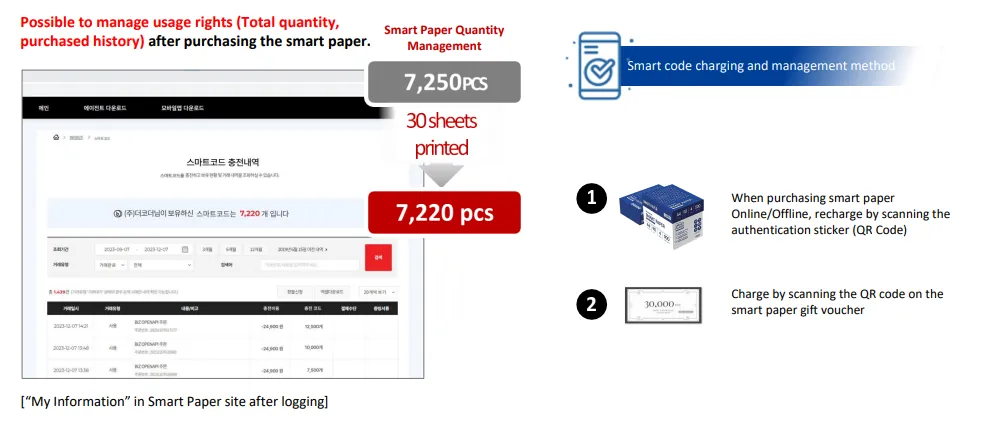
Smart Paper web dashboard showing code usage

Technology Principle

  • D.o.T (Data on Things) – micro-codes extractable even after copy/scan
  • Code ↔ server hash matching for real-time forgery/tampering check
  • Pure software solution → no extra device required
Illustration of Smart Code technology principle

Why Smart Paper Stands Out

Invisible Code

100% text readability

No Extra Device

Software-only implementation

Cost Effective

Same as regular A4 + content features

Paper→Digital

Automate document workflows & boost efficiency